Quick answers
Which one should I reach for? A single agent for small or low-stakes work. A dynamic workflow when you have high volume, a wrong answer is expensive, and the pieces can be checked on their own. Multi-agent only when the pieces have to negotiate with each other, which is rare.
When should I not use a dynamic workflow? When the job is small, when each step depends on the one before it, or when you have no way to tell whether the output is right.
What is the most common mistake? Reaching for more agents when the real bottleneck is deciding what to do, not doing it faster.
Most of the time, the answer is no.
A dynamic workflow in Claude Code can run sixteen agents at once and up to a thousand across a single job. It is the most capable orchestration tool Anthropic ships, and it is the wrong tool for the task in front of you more often than it is the right one. Knowing which is which is the whole skill.
I wrote a separate post on what a dynamic workflow is, and the run I am using to re-check every post on this site. This one is narrower. It is the decision itself: single agent, dynamic workflow, multi-agent, or no automation at all. Four options. One fits your task, and the other three cost you time or money. Here is how I pick.
The four choices
Strip it down. When you want a machine to do a task, you are choosing between four things, and they are not interchangeable.
A single agent is one Claude session working through the task, turn by turn, with you watching. It is cheap, it is easy to steer, and for most work it is all you need.
A dynamic workflow is a script Claude writes and a runtime executes in the background, spawning many subagents while your session stays free. The Claude Code docs put it plainly: “A dynamic workflow is a JavaScript script that orchestrates subagents at scale.” The plan lives in code, not in a context window, so the job can run for hours and fan out far wider than one conversation could ever track. It arrived in May 2026 as a research preview on the paid Claude plans, so the edges may still move.
Update, June 2026: the edges moved, and they moved toward defaults. The invocation is now concrete. The prompt keyword ultracode runs one task as a workflow (it replaced the older trigger word workflow in v2.1.160), while /effort ultracode sets xhigh reasoning and has Claude plan a workflow for any task it deems worth one, all session long, with the launch prompt skipped outright in auto permission mode per the docs. Orchestration used to be something you reached for. With that setting on, it is something you opt out of. The four questions below used to decide when to start a run. Now they also decide whether Claude should keep deciding for you.
A multi-agent system is several agents talking to each other, handing work back and forth. It sounds like the serious option. It is usually a trap, for reasons I will get to.
And then the fourth choice everyone forgets: no AI at all. If the task is the same every time and follows fixed rules, a plain script is faster and will not invent anything.
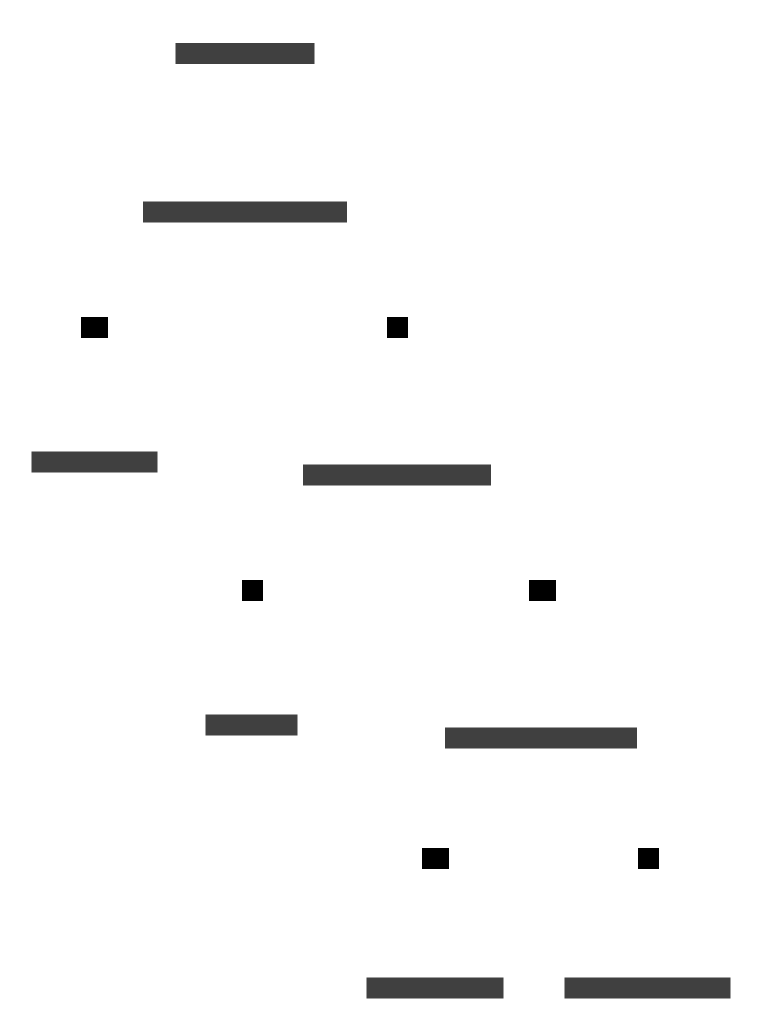
The tree is the short version. The rest of this post is the long version, because the edges are where people get it wrong.
The four questions that decide it
Forget the tools for a second. Four questions about the work decide which one you want:
- How many items are there?
- What does a wrong answer cost you?
- Do the pieces stand alone, or does each one need the last?
- Is the checked result worth more than the tokens it burns?
Volume comes first. A handful of items means do it yourself or hand them to one agent, because the setup cost of a workflow only earns out across dozens or hundreds. Cost of error comes next: if a mistake is cheap and easy to undo, you do not need a swarm of verifiers, but if it means a published falsehood or a wrong number in front of a client, a second look is worth more than every token it costs. Then independence, which is the one people miss. A workflow fans out only because the items do not lean on each other, so if every step feeds the next, there is nothing to run in parallel. And finally the bill. A workflow run can cost far more tokens than the same task would in a plain conversation, which the docs are upfront about. You are paying for the checking. Sometimes the checking is worth it, and often it is not.
Put the four together and the choice falls out.
| Volume | Cost of being wrong | Do the pieces split? | Reach for |
|---|---|---|---|
| A handful | Anything | Anything | Yourself, or one agent |
| Dozens or more | Low, easy to undo | Either | One agent in a loop |
| Dozens or more | High | Yes, cleanly | A dynamic workflow |
| Dozens or more | High | No, each needs the last | Rethink it, or multi-agent as a last resort |
| Repeats identically | Fixed rules, no judgment | n/a | Plain code, no AI |
When to reach for a dynamic workflow
You reach for one when a job is too big for a single pass and the pieces can each be checked on their own. The docs say to “reach for a workflow when a task needs more agents than one conversation can coordinate,” and that matches what I see.
A few cases that come up again and again:
- A bug sweep across an entire service, where each file can be read and judged on its own.
- A migration that touches hundreds of files in the same mechanical way.
- A research question where you want the sources cross-checked against each other, not collected and trusted.
- A plan worth drafting from several angles and stress-testing before you commit to it.
The thread running through all of these is the same. The work splits into many independent pieces, and you want each one checked rather than taken on faith. That last part is what earns the token cost. A workflow can, in Anthropic’s words, get you “a more trustworthy result than a single pass” by having independent agents adversarially check each other’s work before it reaches you. One agent reviewing its own work is a weak check, because it is invested in being right. A separate agent told to break the claim has no such loyalty. Which is the same discipline behind choosing where agents belong at all: build the way you check the work before you build the work.
My own case is the site refresh I described elsewhere. Around 250 posts, each one re-verified against live sources by one agent and then attacked by a second agent whose only job is to find the edit that is wrong. The volume justifies the setup. The cost of publishing a made-up statistic under my own name justifies the second look. And the posts do not depend on each other, so they check in parallel without stepping on each other’s toes. Three yeses. That is the shape to look for.
When not to
This is the section that saves you money, so I will spend the most of it here.
Skip the workflow when the job is small. If you have five things to check, check them, or hand them to one agent. The overhead of planning a run and fanning it out only pays back across dozens or hundreds of items. Below that line you are buying machinery to move a single box.
Skip it when the steps depend on each other. A workflow works because post twelve and post two hundred have nothing to do with each other. A task where every step feeds the next is a process, not a pile of items, and process automation has its own failure modes. You cannot check step nine until step eight is settled, so there is nothing to parallelize.
Skip it, above all, when you have no way to check the output. This is the trap the demos hide. A commenter, trjordan, made the point on the Hacker News thread about the launch: “It’s telling that they used ‘rewrite Bun in Rust’ as the proof point here. It’s cool! But the vast majority of software engineering doesn’t start with tens of thousands of tests, where making them pass is the whole job.” A giant existing test suite is a perfect oracle. The agents know the moment they have succeeded. Most real work has no such oracle, and a fan-out of agents with nothing to check against is a fan-out of confident guesses. He added the line that stuck with me: “AI still drifts from what I meant it to do on anything bigger than building a widget.”
And skip the multi-agent version, the one where agents talk to each other and negotiate, unless you have run out of every other option. Walden Yan at Cognition, the team behind the Devin coding agent, wrote the clearest warning I have read on this. He calls the parallel multi-agent setup “a tempting architecture” and then says flatly, “However, it is very fragile.” The reason: “The decision-making ends up being too dispersed and context isn’t able to be shared thoroughly enough between the agents.” A dynamic workflow steps around that, because its agents do not negotiate. They work in parallel and a script collects what they find. The coordination lives in code, not in a conversation between bots. I went deeper on why agent-to-agent chatter tends to collapse in the multi-agent complexity post.
The mistake almost everyone makes
The move I see most often goes like this. Someone hits a wall with a single agent, the work is slow or the output looks shaky, and they reach for more agents. Faster and wider. It feels like progress.
But speed was rarely the problem. On that same Hacker News thread, a commenter, xcskier56, said the quiet part out loud: “I’m at the point where deciding what we should and should not do takes a lot more time than actually doing it. More agents just means running faster in potentially the wrong direction.”
That is the whole thing. A dynamic workflow makes you faster at carrying out a plan. It does nothing for a bad plan. If you are not sure what you want, sixteen agents will get you sixteen times less sure, sooner. The compounding-error math I worked through in AI does tasks, not jobs is real, and parallel verification is a real answer to it. But verification only helps once you know what correct looks like. Decide that first.
So the decision is not really about agents. It is about your work. Is there a lot of it? Does being wrong cost you? Do the pieces stand alone, and can you tell when one of them is right? Four yeses point at a dynamic workflow. Any no points somewhere cheaper. Start with the cheapest tool that fits, and move up only when the task makes you.