The short version
Most "Claude cheat codes" going viral on social media do not work. I ran each one through the CLI with JSON output and cost tracking, then cross-referenced against 512,000 lines of leaked source code. Zero evidence any of them exist. The actual powerful features are documented, free, and far more useful than any secret code.
- L99, /ghost, and /godmode are not real features and appear nowhere in Claude's codebase
- The real power is in plan mode, hooks, skills, subagents, worktrees, and 200+ environment variables
- The leaked source revealed fascinating internals: frustration detection via regex, anti-distillation traps, and an unreleased always-on background agent
The viral claims
Every few weeks, a new thread goes viral claiming to reveal “secret codes” for Claude. Type L99 at the end of your prompt to unlock expert mode. Use /ghost to make outputs undetectable as AI. Add /godmode for the most aggressive, unrestricted responses. Prefix with OODA to activate military-grade decision frameworks.
These claims spread fast. They sound brilliant. One post I saw had millions of views and a comment thread full of people swearing L99 reshaped their workflow.
So I tested them. Not with vibes and confirmation bias, but with Claude Code’s non-interactive mode, JSON output, token counts, and cost tracking. Then I cross-referenced every claim against 512,000 lines of Claude Code’s leaked source to see if these commands exist anywhere in the actual codebase.
They do not.
I ran the tests
Here is exactly what happened when I ran each “cheat code” through claude -p with --output-format json.
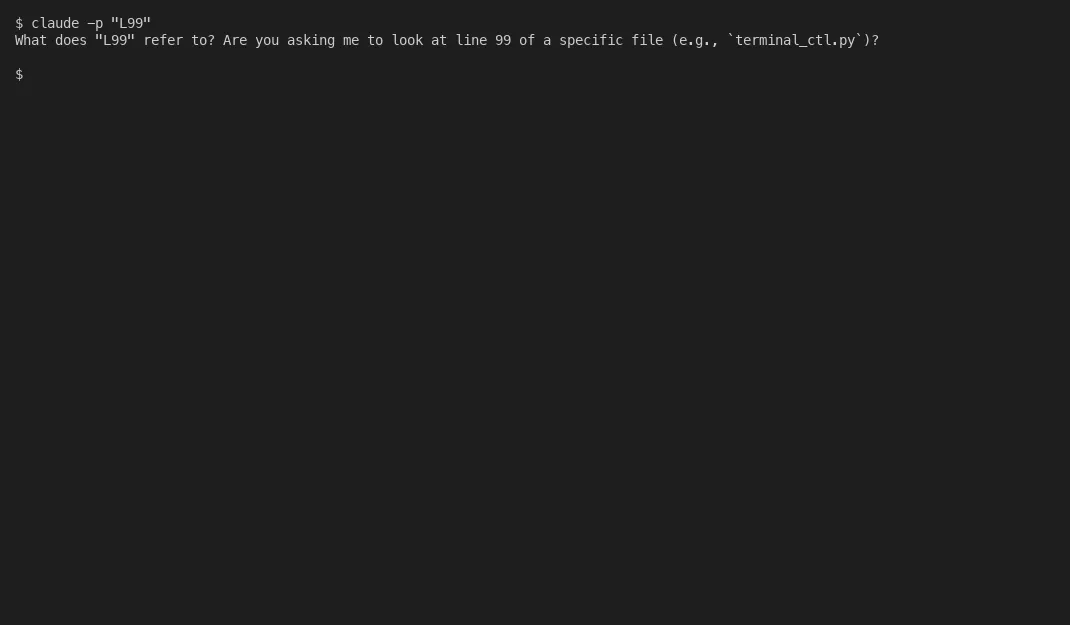
L99: I sent claude -p "L99" to see if Claude recognizes it. The response: “What do you mean by L99? Could you clarify what you’d like me to do?” Cost: $0.24. Duration: 8.5 seconds. No special mode activated. Claude did not know what I was talking about.
I ran a comparison too. Same prompt with and without the L99 prefix: “Explain in 2 sentences how TCP/IP works.” Without L99: 61 tokens, clear and accurate. With L99: 90 tokens, equally clear and accurate. The token difference is normal stochastic variation. Run any prompt twice and you get different word counts. Both answers covered the same concepts at the same depth. There is no native command parser for L99 in Claude. It is just text the model either ignores or treats as confusing context.
/ghost: I sent claude -p "/ghost Write a LinkedIn post about productivity". Response: “Unknown skill: ghost.” Duration: 12 milliseconds. Cost: $0.00. Zero tokens consumed. Zero API calls made. The CLI intercepted /ghost as a slash command attempt, found no matching skill in its registry, and killed the request before it ever reached the model. My prompt never left my machine.
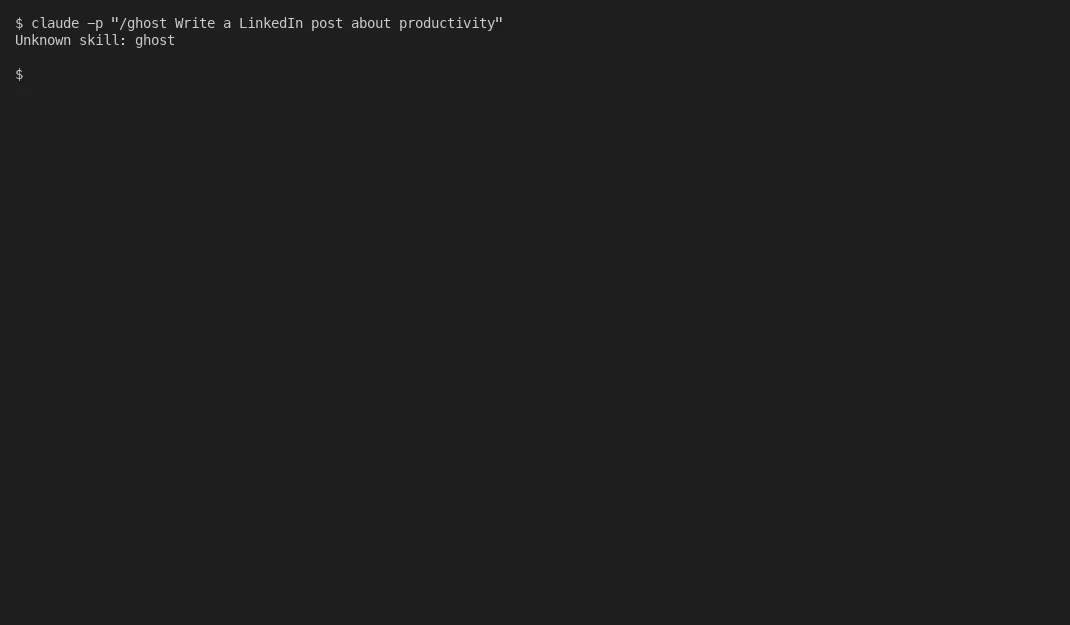
/godmode: Identical failure. “Unknown skill: godmode.” 11 milliseconds. $0.00. Zero tokens. The CLI’s skill dispatcher rejected it instantly.
OODA: Different story. The text “OODA” does reach the model because it lacks a slash prefix. Claude recognized it as John Boyd’s Observe-Orient-Decide-Act framework and helpfully structured its response using those four sections. That is not a hidden feature. That is Claude being good at understanding context. You could type “SWOT” or “5 Whys” and get the same organizational behavior.
The pattern is clear. Slash-prefixed commands get intercepted by the CLI and rejected as unknown skills. Non-slash prefixes are just text the model interprets. Neither is a hidden capability.
512,000 lines of proof
On March 31, 2026, Anthropic accidentally shipped a source map file in version 2.1.88 of their npm package. A missing .npmignore entry exposed 1,900 TypeScript files. Security researcher Chaofan Shou spotted it around 4 AM and posted a download link that got over 21 million views on X. The entire Claude Code codebase, sitting on a public Cloudflare R2 bucket.
Researchers tore through it. One analysis found 330+ utility files and 45+ tool implementations. The wider teardown cataloged dozens of built-in slash commands, a handful of bundled skills, 44 feature flags, and roughly 200 environment variables. L99 appears nowhere. /ghost appears nowhere. /godmode appears nowhere. Not in the command registry. Not in the tool definitions. Not in the system prompts. Not in half a million lines of TypeScript.
But the source revealed things far more interesting than any fictional cheat code.
Frustration detection via regex. The thing is, a company worth billions uses a regex (not their own AI) to detect when you are frustrated. The file userPromptKeywords.ts scans every message for strings like “wtf,” “ffs,” “this sucks,” and a dozen more colorful expressions. When triggered, Claude shifts tone from conversational to focused mechanic mode. They chose regex because it is faster, cheaper, and more reliable than running inference on every single message. That is brilliant engineering. Use the right tool for the job, even when your job is building AI.
Anti-distillation traps. A feature flag called ANTI_DISTILLATION_CC silently injects fake tool definitions into the system prompt. If a competitor intercepts API traffic to train their own model, those fake tools corrupt the training data. Competitive warfare, baked right into the codebase.
Undercover mode. When Anthropic employees use Claude Code on public repos, a 90-line file called undercover.ts strips internal codenames, Co-Authored-By lines, and references to “Claude Code” from commits. The system prompt literally says: “You are operating UNDERCOVER. Do not blow your cover.” This sparked debate about open-source transparency and whether AI-generated contributions need disclosure.
KAIROS. An unreleased always-on background agent. Tick-based heartbeat, 15-second shell command budget, and an “autoDream” mode that consolidates memory overnight into structured topic files. Gated behind a feature flag. Not yet public. Exciting when it ships.
Buddy. A Tamagotchi that lives in your terminal. 18 species (including Capybara and Axolotl), 5 rarity tiers, deterministic from your user ID hash. Species names were obfuscated as String.fromCharCode() arrays to prevent string matching. Not a joke. Real code.
Mind you, the oddities keep going. A 5,594-line file called print.ts containing a single function nested 12 levels deep. Internal model codenames like Capybara, Fennec, and Tengu. DRM implemented at the Zig level inside Bun’s compiled binary, injecting cryptographic hashes into API requests that JavaScript cannot inspect or override. 187 different spinner animation verbs for the loading screen.
What actually gives you power
The painful irony here. People share fictional secret codes while ignoring features that are documented, free, and powerful. In advisory work with companies adopting AI tools, I keep seeing the same pattern. Teams chase shortcuts instead of reading the manual.
Here is what actually matters in Claude Code:
Plan mode. Press Shift+Tab twice. Claude switches to read-only analysis. It explores your codebase, designs an implementation plan, and saves it as a markdown file you can edit. Delete steps. Reorder operations. Add constraints. Claude picks up every change. This alone is worth more than every viral cheat code combined. I am possibly exaggerating. But not by much.
Hooks. Deterministic automation firing on dozens of event types. Pre-tool, post-tool, session start, session end, notification. Shell commands or HTTP webhooks. Exit code 2 blocks an action. Enforce formatting, linting, and security checks on every tool call without relying on AI judgment.
Skills and custom commands. Drop a markdown file in .claude/skills/ with YAML frontmatter and it becomes a slash command. Your team’s deployment playbook, coding standards, testing workflow. All available as /your-command-name. Version-controlled and shareable across your team.
Subagents. Isolated Claude instances with their own context window. Delegate research and exploration without polluting your main conversation. Context is your scarcest resource. Subagents protect it.
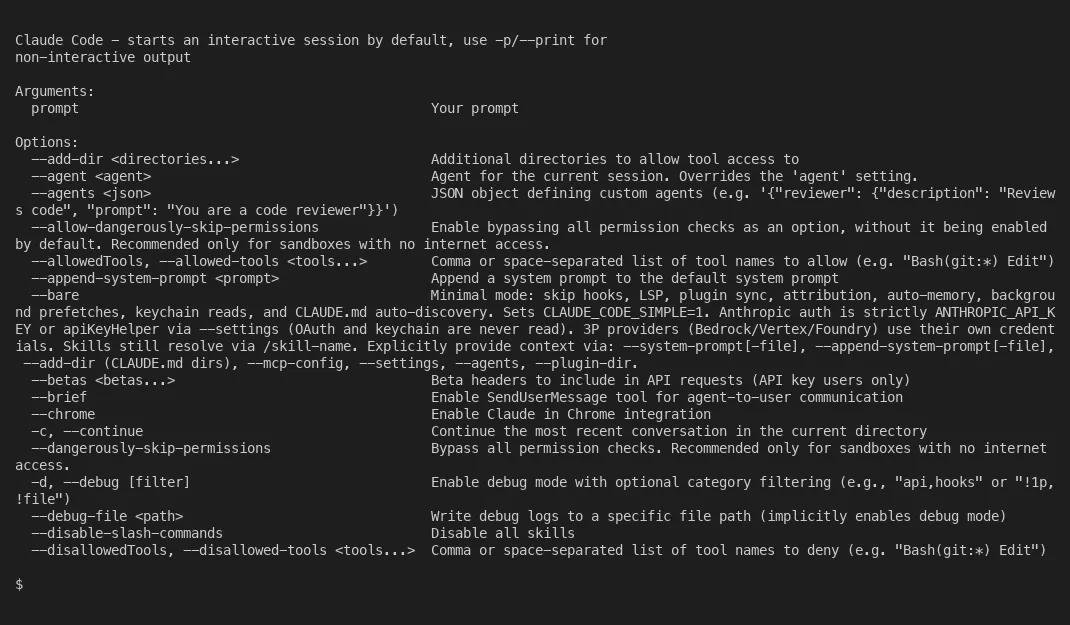
The actual “god mode.” It is not a slash command and it is not a secret. It is a documented command-line flag: claude --dangerously-skip-permissions. Skips all permission prompts. Has existed since launch. It is in the docs. Nobody needed a viral tweet to find it.
Worktrees. claude --worktree feature-name creates an isolated repo copy on its own branch. Run multiple Claude Code instances in parallel, something no other AI coding tool offers at this level. One on a feature, one on a bug fix. Zero interference on files, which turns out not to be the same thing as zero interference (checked 2026-07-29). A worktree isolates your working directory and your index. The stash stack is shared by every checkout in the repository, so one agent running git stash pop can apply a sibling’s half-finished edit to its own tree, and I reproduced that on git 2.50.1. Anthropic’s worktrees documentation draws the same boundary: worktrees “isolate file edits,” and subagents and agent teams coordinate the work itself. The part that costs you real work is what a defensive stash then does to automated cleanup, which I wrote up in what a git worktree does not isolate.
Headless mode. claude -p "task" --allowedTools "Read,Edit,Bash" runs non-interactively with controlled tool access. Build it into your CI/CD pipeline. Automate code review, dependency updates, security scanning. That is real automation, not typing L99 into a chat box.
Deferred tools. Claude Code has about 45 built-in tools, many of them hidden from the initial prompt to save context. They only surface when needed, discovered via a ToolSearch system. You never see them until you need them. That is dozens of tools most users have no idea exist, quietly available in the background.
Voice mode. /voice enables push-to-talk dictation. The transcription does not consume tokens or count against your rate limits. Pair it with plan mode and you can architect a feature while pacing around your office.
/stickers. Type /stickers and Anthropic will mail you actual physical Claude Code stickers. No, seriously. It is a real command.
44 feature flags. The leaked source revealed 12 compile-time flags (removed from public builds) and 15+ runtime flags toggled via GrowthBook. Features like KAIROS, Buddy, and anti-distillation are all gated this way. New capabilities ship in the binary long before they are switched on.
CLAUDE.md files. Project instructions loaded automatically every session. Document build commands, coding standards, architecture decisions. Every future session starts with that context. This is how you get consistently good results. Not with magic prefixes. With proper prompt configuration.
Why the folklore exists
Turns out, people would rather believe in secret codes than read documentation. I get it. “Type this magic word to unlock hidden power” is a better story than “read the official docs and configure your settings.json.” Running Tallyfy for 10+ years taught me that documentation loses to word-of-mouth every single time, even when word-of-mouth is dead wrong.
The deeper pattern is sort of annoying when you see it. The most powerful features in any tool are boring. Plan mode is not exciting. Hooks are not viral. CLAUDE.md files do not make good tweets. But they compound. A well-configured CLAUDE.md, a handful of custom skills, and proper use of subagents will make you more productive than any amount of prompt prefix folklore.
The cheat codes are rubbish. The documentation is the actual cheat code.